


Compliant Analytics Built for Growth
HIPAA Compliant Analytics for Healthcare Practices
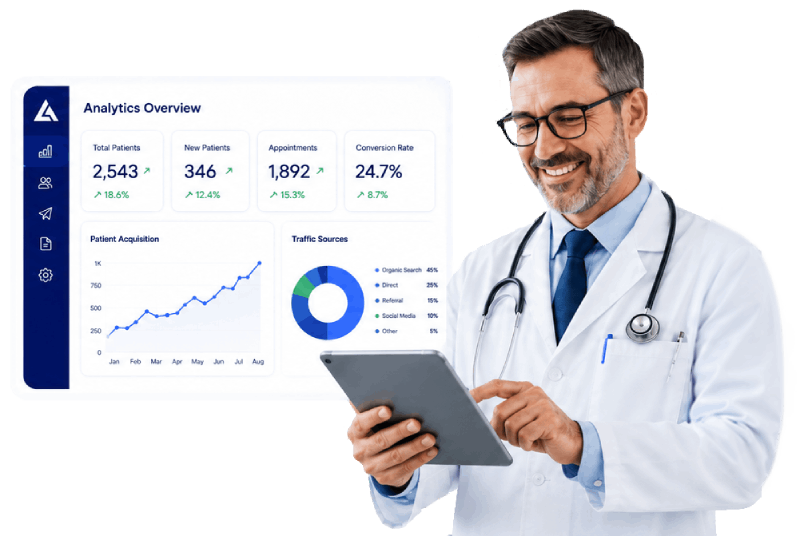

HIPAA Compliant Healthcare Marketing Analytics by LogicalApex
Does LogicalApex Include HIPAA Compliant Analytics?
Yes, LogicalApex includes HIPAA-compliant analytics across its core service offerings. LogicalApex provides a secure infrastructure engineered to capture healthcare marketing performance and track patient lead attribution while maintaining full regulatory compliance.
Is there an extra cost for HIPAA Compliant Analytics?
No, there is no extra charge for HIPAA-compliant analytics. Unlike standalone healthcare analytics platforms that charge high annual add-on fees or extra costs to execute a Business Associate Agreement (BAA), LogicalApex bundles secure, HIPAA-compliant analytics directly into its monthly subscription packages ($500/mo).
Feature Comparison Matrix
| Feature | Standard Service Tier | Advanced / Multi-Location Tier |
|---|---|---|
| HIPAA Compliance & BAA | Included (LogicalApex signs a Business Associate Agreement [BAA] covering services, apps, and data). Stored on HIPAA-secure cloud servers (AWS / GCP). | Included (LogicalApex signs a Business Associate Agreement [BAA] covering services, apps, and data). Stored on HIPAA-secure cloud servers (AWS / GCP). |
| Google Analytics Data Obfuscation | Included (Obfuscates sensitive patient data before passing to external tools). | Included (Obfuscates sensitive patient data before passing to external tools). |
| Native Analytics Dashboard | Basic (Secure dashboard tracks traffic sources and lead attribution directly). Restricted to practice owners and practice managers. | Advanced & Built-in (Comprehensive secure dashboard tracking traffic sources, campaigns, and lead attribution directly). Restricted to practice owners and practice managers. |
| Location-by-Location Tracking | Not Available | Included (Live performance dashboards for each individual practice location). |
| Role-Based Access Control (RBAC) | Standard (Strict role-based permissions, non-US access blocking, user creation alerts, automatic inactivity timeout). | Advanced (Multi-tier access controls strictly limiting who can view acquisition data containing PHI, non-US blocking, automatic timeout). |
Key Analytics & Compliance Features
1. Business Associate Agreement (BAA) Included
LogicalApex signs a standard BAA for all clients. This legally binds LogicalApex to protect patient Protected Health Information (PHI).
Note: Practices are also required to follow security best practices—such as requiring each staff member to have a unique login credential rather than sharing generic emails (e.g.,
frontdesk@clinic.com).
2. Built-In Data Obfuscation
LogicalApex automatically masks and secures sensitive patient information submitted through contact forms, text messages, chatbots, or appointment requests before data reaches secondary analysis tools.
3. Native & Secure Tracking Ecosystem
LogicalApex offers two distinct ways to handle marketing analytics:
- Google Analytics with Data Obfuscation: Data is sanitized before transmission. Note: Due to data masking, some granular reporting detail is intentionally obscured to maintain HIPAA compliance.
- LogicalApex Native Secure Analytics: A self-hosted, built-in tracking platform hosted entirely on HIPAA-compliant AWS / Google Cloud Platform (GCP) servers. No Google Tag Manager, Google Analytics, or third-party tracking pixels are placed on the site. This native approach prevents unauthorized PHI leaks while providing complete, un-masked marketing attribution and higher data accuracy.
Security & Access Control Policies
- Location Blocking: Access attempts to the analytics dashboard originating from outside the United States are automatically blocked by default.
- Manager-Level Access: Analytics dashboards containing potential lead data are restricted to Practice Owners and Practice Managers. Operator and billing users are restricted from viewing raw marketing acquisition logs.
- User Audit Logs & Alerts: Every new user account creation triggers an immediate security alert to the Practice Owner.
- Automatic Session Disabling: Inactive accounts are automatically disabled after a designated timeframe and require owner authorization to re-enable on the secure server.
 Send Text
 How may I help you?